


Stuck between a Franken‑stack of Airtable, Zapier, and 14 open tabs? Locked into a three‑year contract for features you’ll never use? In 2026, finding a well-balanced applicant tracking system is harder than you’d think.
All ATS platforms promise easy job posting, structured workflows, and best-in-class CRM features, but you’re still the one sifting through a flood of applications.
With machine-enhanced applications reaching up to 23% for high volume roles, you need a system that puts quality ahead of volume (with no feature bloat). Start by looking beyond cookie-cutter functionality for practical features that give you back your time.
What is an applicant tracking system (ATS)?
An applicant tracking system is cloud-based software that helps recruiters and hiring teams track candidates through the application process. Instead of spreadsheets, emails, and sticky notes, an ATS streamlines your workflow with one place to publish job postings, evaluate candidates, and share notes with your team.
ATS systems offer a range of features, including customizable pipelines, resume screening, candidate communication, and video interviews. Some offer advanced features like AI screening and sourcing, others cover the hiring process end-to-end, with features like Indeed and LinkedIn integrations, automated background checks, and onboarding.
How does ATS software work?
Most applicant tracking systems have the same core functionality:
- Post your open role to multiple job boards
- Set criteria and prioritize top candidates
- Rediscover qualified talent in your own database
- Schedule interviews, score, and discuss
- Make the offer!
The best applicant tracking systems go further, with features that turn an avalanche of applications into a focused recruitment process.
How much does an applicant tracking system cost?
ATS pricing depends largely on who you're hiring for.
Staffing agencies and recruiting firms typically use platforms that charge per seat—meaning your costs climb every time you add a recruiter to manage client placements.
But if you're hiring directly for your own company, you'll find two main pricing models:
1. Flat-rate pricing (like Breezy)
Simple, predictable monthly or annual fees that don't change as you grow. You get unlimited users and candidates, so hiring managers can jump in without triggering surprise charges.
2. Usage-based pricing (like Workable, Greenhouse)
Your costs scale with company size—often based on employees, active jobs, or hiring volume. As your organization grows and you hire more people, your ATS bill grows too.
Look out for hidden fees around data migration, training, API access, and add-ons. Platforms with usage-based pricing may seem affordable at first, but costs can balloon as your team and hiring needs expand.
Lightweight tools can run as low as $20 per month for posting jobs and receiving unlimited candidates. Mid-tier plans usually land around $150-200/month for unlimited job openings, email and text messaging, interview scheduling, and stage automations.
Enterprise systems can range anywhere from $250 to $500+ per month for automated reference checking, customizable scorecards, HRIS integrations, and AI matching.
5 ATS features every hiring team needs
Branded career pages and customizable pipelines are great, but the best ATS systems keep you from wasting hours on the wrong candidates. Look for features that help you leverage and protect your database.
1. Built-in bot protection
Your ATS should work quietly in the background, silently rejecting the spam to keep your database free of fakes.
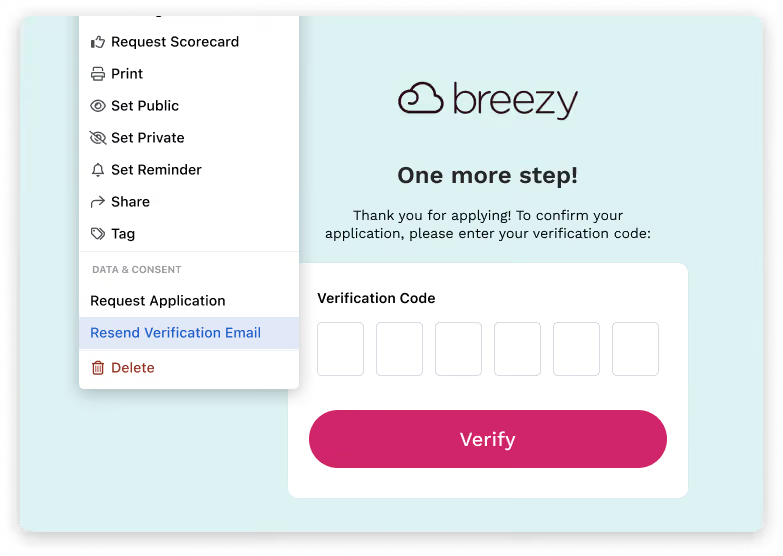
In Breezy, application forms come with bot prevention code built in. With tighter screening controls upfront, you spend less time wading through job applications and more time connecting with your best candidates.
Need to be extra sure? Flip on email verification to send a quick four‑digit code. Once confirmed, candidates get a verified badge on their profile.\
2. Prioritize inbound candidates
Traditional resume parsing pulls names, titles, and skills from PDFs. Even in 2015, that was table stakes. In 2026, the challenge isn't extracting candidate data—it's figuring out what's real.
Look for an ATS that flags copy-pasted resumes and evaluates candidates against actual job requirements.
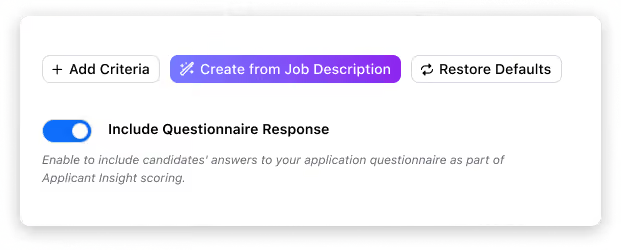
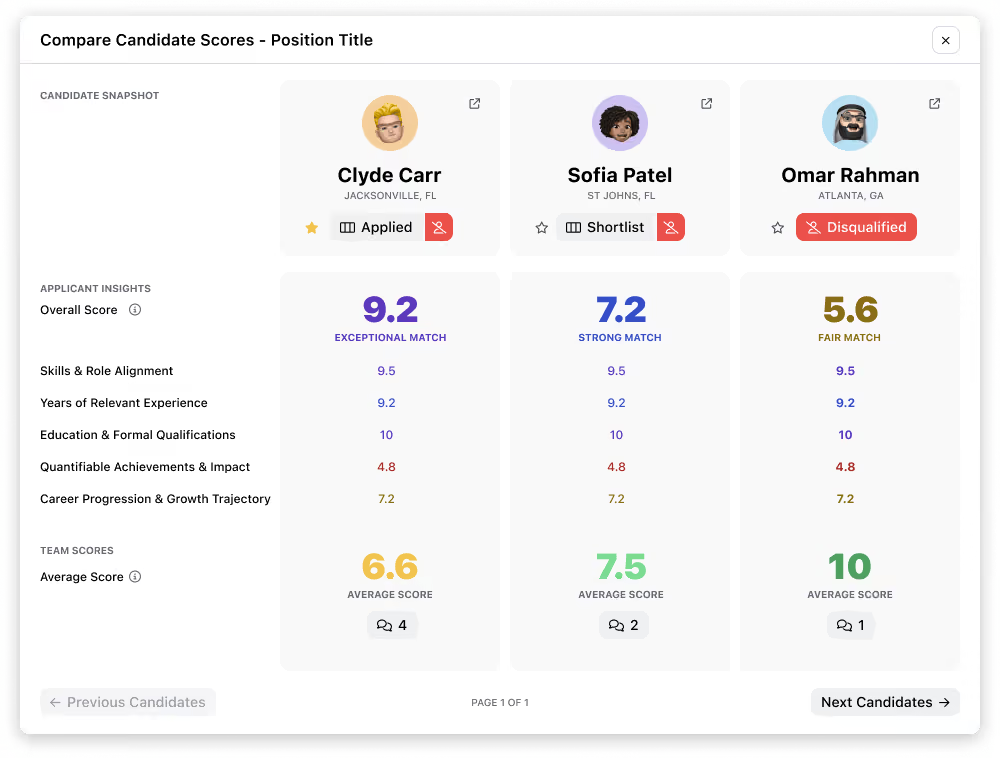
Breezy turns your job descriptions into clear, role‑specific evaluation criteria, then tightens the signal with screening questionnaires to verify must‑haves like work authorization and availability.
Candidate responses automatically layer into your scoring to bring your best applicants to the forefront.
3. Customize pipelines & hiring workflows
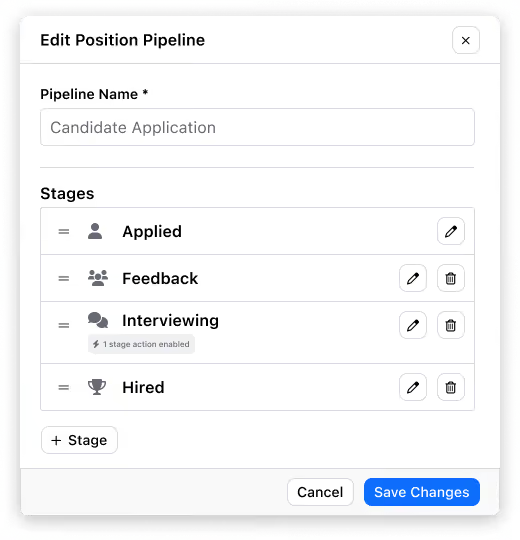
A high‑volume customer support role requires totally different stages than an executive search. Your ATS should make it easy to match how your team actually works and automate the busywork in between.
Sample pipeline:
- Stage 1: Applied - Everyone lands here. No human review yet.
- Stage 2: Email verified - Verified profiles move here, AI scoring runs in the background.
- Stage 3: Scored (auto‑advance) - Auto‑advance strong applicants (e.g., ≥ 7/10) from Applied to the next stage.
- Stage 3 (alt): Questionnaire - Auto‑send screening questionnaires, trigger an auto‑move to review when completed.
- Stage 4: Interview scheduling - First human touch. Review high‑score candidates first, auto‑send scheduling links for phone screen or interview.
The right ATS will help you remove manual triage from at least the first three stages of your screening process. You focus on top candidates who meet your bar, while the rest get updated via auto-scheduled email to close the loop.
4. Source from your own database
Not all applicant tracking systems offer it, but AI sourcing is a great way to offset the noise from high-volume channels, without having to spend another $200 per job post.
AI-enabled ATS platforms make it easy to resurface past applicants and get a criteria‑aligned shortlist built straight from your own database.
In Breezy, just enable sourcing, choose where to search (all past roles or shortlist), and set your criteria.
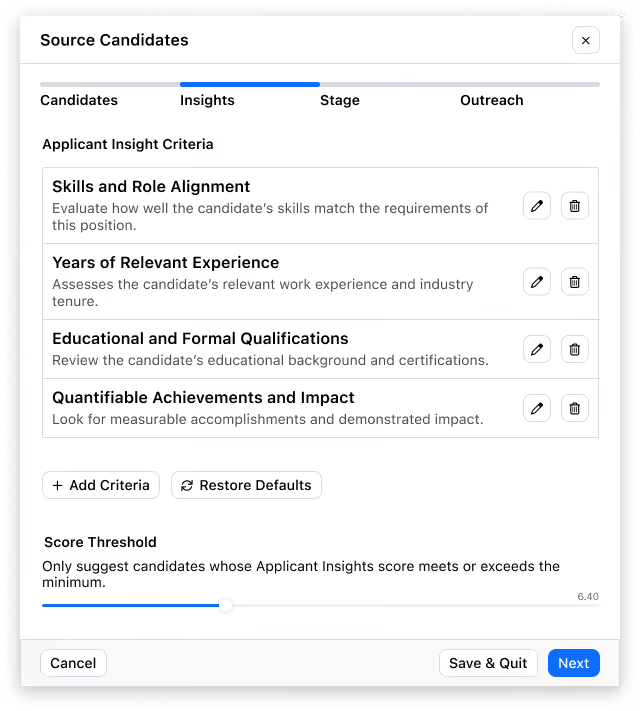
Breezy suggests up to 25 qualified candidates so you can decide who to reach out to first.
If a candidate accepts your invitation to apply, they can upload an updated resume and move to whichever stage you select. If you pass on a suggestion (or they decline), their original record stays where it is.
5. Interview scheduling & analysis
Calendar sync, scheduling links, and reschedules are a given. The bigger unlock? Analyzing the interviews you’ve already run.
Pair your scorecards with structured interview guides, then use AI summaries to compare candidates against a standardized set of criteria.
When you’ve found your winner, automated offer letters, background checks, and built-in onboarding give new hires a running start.
HRIS or ATS? How to pick the right tool for the job
Plenty of HR platforms bundle ATS features into payroll and benefits software. But these systems are HRIS‑first, not CRM‑first.
If your recruiting team has to dig through hundreds of job applications, those wasted hours can cost you way more than what you’d “save” with a bolted-on system.
In 2026, volume ≠ quality.
If you’re growing fast, choose a standalone ATS that integrates seamlessly with your HRIS and supports role‑based onboarding, without the long‑term contracts or per‑employee pricing.
Questions to ask when choosing an ATS
Separate glossy demo features from day‑to‑day reality—how well the tool handles spam, how fast you can get up and running, and what support actually looks like:
- How long does setup take?
- Can it connect to my HRIS and other tools?
- How user-friendly is it for non‑power users?
- Is there a free trial?
- Are users unlimited, or will adding hiring managers cost extra?
- What's included in onboarding — docs, live training, or a dedicated rep?
- Is support tiered by price?
- Can I reach a human if something breaks?
Key features to look for:
No matter which recruiting software you choose, never trust it blindly.
Audit near-miss candidates, adjust your criteria, and repeat. Your system will get smarter, but it can never spot top talent as well as a real recruiter.
Is Breezy the right applicant tracking system for you?
Breezy is G2's #1 ATS in Ease of Implementation for a reason—it just works. It’s human-first, fraud-resistant, and designed for fast-moving hiring teams that need quality signals.
But don’t take our word for it. Find out why we're a recognized Category Leader across G2, GetApp, and Capterra, with thousands of five-star reviews from teams who finally found an ATS they actually enjoy using.
Start free with our Bootstrap plan, then scale up as your hiring needs change. Flat tiers. No surprise fees.
FAQs
Can I connect my ATS to Slack and Google Calendar for collaboration with recruiters?
Yes. Breezy offers native calendar sync for Google and Outlook, easy scheduling links, and automated reminders. For team collaboration, use email, @mentions, and integrations via Zapier to route real-time updates to Slack.
How do you ensure candidate data is GDPR compliant?
Breezy includes GDPR compliance tooling out of the box: automated data retention, consent management, and DSAR workflows. We also support CCPA requirements and SSO for secure access.
How long does it take to get set up, and can I migrate my existing candidates?
Most teams post their first job and start collecting applicants in under an hour. You can import candidates, resumes, and notes via CSV. We also offer guided migration options on paid plans. If you’re moving from another ATS, exports from tools like Greenhouse, Lever, and Workable can be mapped straight into Breezy.


